Team Building That People Actually Enjoy

Ditch the trust falls and awkward icebreakers. Game City brings interactive TV-style game shows to your team — fun, competitive, and zero cringe.

Register Interest

What Is Game City?

Interactive party games played on any screen — phones become the controllers.

Entertainment, Simplified

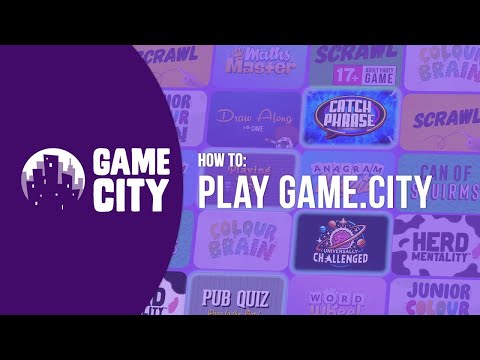
Game City is a collection of interactive party games inspired by popular TV game shows. Players join from their phones — no apps to download, no extra hardware needed.

Whether it's a pub quiz night, a corporate team-building event, or family fun at a holiday park — Game City runs on any device with a web browser and keeps groups of up to 8 players engaged and laughing.

Any Screen. Any Browser.

TV, laptop, projector — it just works.

2M+
Games Played
100,000+
Customers
14
Games
50M+
Social Media Impressions

Why Teams Love Game City

Team bonding that's actually fun — no facilitator required.

Set Up in Seconds

Open a browser on a meeting room screen, pick a game, and your team is playing. No booking external facilitators, no prep work.

Buy Once, Play Forever

One purchase for unlimited sessions. Use it for every team day, away day, Friday afternoon, or new starter onboarding — no recurring costs.

Phones as Controllers

Everyone plays from their own phone. No awkward shared devices, no sticky controllers — works perfectly in the office or offsite.

Breaks Down Barriers

Up to 8 players per game — perfect for cross-department mixing, onboarding new hires, or bringing remote colleagues together in person.

Actually Engaging

No eye-rolling, no checking phones under the table. Game City is genuinely fun — the kind of activity people thank you for organising.

Reusable & Varied

A whole library of different games means you'll never repeat the same session. Fresh content keeps it exciting every time.

Friends enjoying Game City together

How It Works

Three steps to interactive entertainment.

1

Open on Any Screen

Load Game City in a web browser on your TV, projector, laptop, or tablet.

2

Players Join by Phone

Guests scan a code or enter a short URL on their phones to join the game — no app needed.

3

Play & Enjoy

Choose from a library of games and start playing. Rounds are quick, fun, and endlessly replayable.

What You Get

Everything you need to bring Game City to your team.

The Package

  • Full access to the Game City library
  • Unlimited play — no per-session fees
  • Works on any screen with a browser
  • Up to 8 players per session (run multiple screens simultaneously)
  • Regular new game releases

Support & Onboarding

  • Dedicated onboarding call
  • Session planning guide for team events
  • Game recommendations by group size and vibe
  • Priority email support
  • Tips for running the perfect team session

Frequently Asked Questions

Common questions from team leaders and HR teams.

No. Game City runs in any web browser. You just need a screen (TV, laptop, projector, or tablet) and an internet connection. Players use their own phones.
Individual game rounds take around 10-20 minutes, so you can fit a session into a lunch break or extend it across an afternoon. You're in control of the pace.
We offer flexible options for businesses and teams. Register your interest and we'll put together a tailored proposal based on your team size and needs.
Each game supports up to 8 players, but you can run multiple sessions simultaneously on different screens. Split into teams, run parallel games, and compare scores — perfect for larger groups.
Absolutely. Game City works anywhere with a screen and WiFi — office meeting rooms, conference venues, restaurants, hotels, or even someone's living room for a remote team meetup.
No. The games are self-explanatory and run themselves. Just pick a game, let people join, and press play. Anyone can host — no training or special skills needed.
Genuinely fun. Game City is based on TV game shows people actually watch and enjoy. It's competitive, funny, and the kind of thing people ask to do again — not dread.

Register Your Interest

Tell us about your team and we'll be in touch.

Fill in the form below and a member of our team will get back to you.

📝 Your Google Form will go here.
Replace this div with your Google Form embed iframe, e.g.: <iframe src="https://docs.google.com/forms/d/e/YOUR_FORM_ID/viewform?embedded=true" width="100%" height="800" frameborder="0"></iframe>