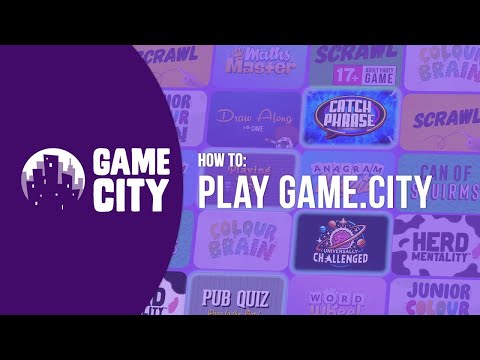
Turn Quiet Nights Into Packed Houses

Replace tired quiz nights with interactive TV-style game shows that keep punters entertained, drinking, and coming back for more. No equipment, no hassle — just a screen and their phones.

Register Interest

What Is Game City?

Interactive party games played on any screen — phones become the controllers.

Entertainment, Simplified

Game City is a collection of interactive party games inspired by popular TV game shows. Players join from their phones — no apps to download, no extra hardware needed.

Whether it's a pub quiz night, a corporate team-building event, or family fun at a holiday park — Game City runs on any device with a web browser and keeps groups of up to 8 players engaged and laughing.

Any Screen. Any Browser.

TV, laptop, projector — it just works.

2M+
Games Played
100,000+
Customers
14
Games
50M+
Social Media Impressions

Why Pubs Love Game City

A turnkey entertainment solution that drives footfall and bar spend.

Set Up in Seconds

Open a browser on your pub TV, pick a game, and you're live. No quiz master needed, no printing answer sheets, no fuss.

Buy Once, Play Forever

One purchase gives you unlimited play. No subscriptions, no per-night fees — better value than a weekly quiz host.

Phones as Controllers

Customers use their own phones to play — nothing to hand out, lose, or clean. They're already holding them anyway.

Up to 8 Players

Perfect for groups of mates, date nights, or regulars looking for something different. Run multiple games across different screens.

Drives Dwell Time & Spend

Groups stay longer when they're having fun. More rounds of games means more rounds at the bar — it's that simple.

Proven & Loved

5-star reviews from pub-goers and landlords alike. Games people actually want to come back and play again next week.

Friends enjoying Game City together

How It Works

Three steps to interactive entertainment.

1

Open on Any Screen

Load Game City in a web browser on your TV, projector, laptop, or tablet.

2

Players Join by Phone

Guests scan a code or enter a short URL on their phones to join the game — no app needed.

3

Play & Enjoy

Choose from a library of games and start playing. Rounds are quick, fun, and endlessly replayable.

What You Get

Everything you need to bring Game City to your pub.

The Package

  • Full access to the Game City library
  • Unlimited play — no per-session fees
  • Works on any screen with a browser
  • Up to 8 players per session (run multiple screens simultaneously)
  • Regular new game releases

Support & Onboarding

  • Dedicated onboarding call
  • Printed QR code table cards for your venue
  • Staff training guide
  • Priority email support
  • Co-marketing opportunities

Frequently Asked Questions

Common questions from pub & bar partners.

No. Game City runs in any web browser. You just need a screen (TV, laptop, projector, or tablet) and an internet connection. Players use their own phones.
Game City is lightweight and uses minimal bandwidth. As long as your guests can browse the web on their phones, they can play. We can advise on setup if needed.
We offer flexible options depending on your venue type and size. Register your interest and we'll put together a tailored proposal.
Yes. Each screen runs its own independent game session, so you can have several games going across different areas of your pub simultaneously.
Details on terms will be shared when we get in touch. We keep things simple and fair — no hidden fees.
Absolutely. Game City offers a fresh alternative to traditional quizzes — with variety, interactivity, and zero prep. Many pubs run it alongside or instead of their quiz night.
Game City is designed for lively environments. The main screen displays the game visually, and players interact via their phones. You control the volume — or mute it entirely if you prefer.

Register Your Interest

Tell us about your pub or bar and we'll be in touch.

Fill in the form below and a member of our team will get back to you.

📝 Your Google Form will go here.
Replace this div with your Google Form embed iframe, e.g.: <iframe src="https://docs.google.com/forms/d/e/YOUR_FORM_ID/viewform?embedded=true" width="100%" height="800" frameborder="0"></iframe>