Make Any Gathering Unforgettable

Birthdays, hen dos, house parties, anniversaries — add interactive TV-style game shows that get everyone involved. No app downloads, no awkward icebreakers.

Register Interest

What Is Game City?

Interactive party games played on any screen — phones become the controllers.

Entertainment, Simplified

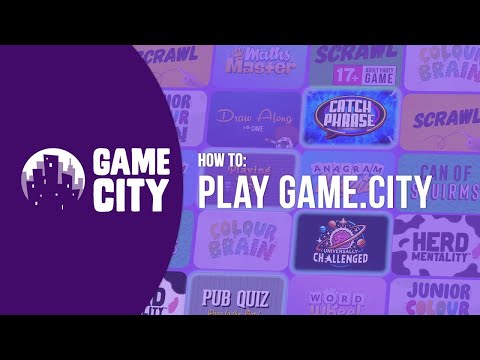
Game City is a collection of interactive party games inspired by popular TV game shows. Players join from their phones — no apps to download, no extra hardware needed.

Whether it's a pub quiz night, a corporate team-building event, or family fun at a holiday park — Game City runs on any device with a web browser and keeps groups of up to 8 players engaged and laughing.

Any Screen. Any Browser.

TV, laptop, projector — it just works.

2M+
Games Played
100,000+
Customers
14
Games
50M+
Social Media Impressions

Why People Love Game City at Events

The easiest way to add entertainment to any private event.

Set Up in Seconds

Open a browser on any screen, pick a game, and the party's started. No DJ, no hired entertainer, no complicated setup.

Buy Once, Play Forever

One purchase and you're set for every event, every celebration. No per-party fees — use it as many times as you like.

Phones as Controllers

Everyone's already got their phone. No cards, no dice, no equipment to lug around — just scan and play.

Gets Everyone Involved

Up to 8 players per game — perfect for mixing groups, breaking the ice, and making sure nobody's left on the sidelines.

The Highlight of the Night

Forget small talk — Game City creates those laugh-out-loud moments that people remember and talk about for months.

Works Anywhere

Living room, rented venue, garden marquee — anywhere you've got a screen and WiFi, you've got a game show.

Friends enjoying Game City together

How It Works

Three steps to interactive entertainment.

1

Open on Any Screen

Load Game City in a web browser on your TV, projector, laptop, or tablet.

2

Players Join by Phone

Guests scan a code or enter a short URL on their phones to join the game — no app needed.

3

Play & Enjoy

Choose from a library of games and start playing. Rounds are quick, fun, and endlessly replayable.

What You Get

Everything you need to bring Game City to your event.

The Package

  • Full access to the Game City library
  • Unlimited play — no per-session fees
  • Works on any screen with a browser
  • Up to 8 players per session (run multiple screens simultaneously)
  • Regular new game releases

Support & Onboarding

  • Quick-start setup guide
  • Printable QR code for your event
  • Game recommendations for your group size
  • Priority email support
  • Tips for running the perfect game night

Frequently Asked Questions

Common questions from event hosts.

No. Game City runs in any web browser. You just need a screen (TV, laptop, projector, or tablet) and an internet connection. Players use their own phones.
Birthdays, hen and stag dos, house parties, dinner parties, anniversaries, family gatherings, Christmas parties — basically any event where you want people to have fun together.
We offer flexible options for private events. Register your interest and we'll share pricing that works for your situation.
Each game supports up to 8 players. For larger groups, you can run multiple game sessions on different screens, or take turns — rounds are quick so everyone gets a go.
Yes. Game City is designed to be fun for everyone. The games are easy to learn and enjoyable for kids, adults, and grandparents alike.
Absolutely. As long as you have a screen and WiFi (or mobile data), Game City works anywhere — at home, in a hired hall, at a restaurant, in a garden marquee, or at a rented holiday home.
No. Players join by visiting a short URL or scanning a QR code on their phone's web browser. No app downloads, no sign-ups — they're playing in seconds.

Register Your Interest

Tell us about your event and we'll be in touch.

Fill in the form below and a member of our team will get back to you.

📝 Your Google Form will go here.
Replace this div with your Google Form embed iframe, e.g.: <iframe src="https://docs.google.com/forms/d/e/YOUR_FORM_ID/viewform?embedded=true" width="100%" height="800" frameborder="0"></iframe>